Learn to code, for schools
Children code every move themselves
In the Make Day labs, Make Day AI writes the code from a child's drawing. Learning to code goes the other way: the child writes every instruction, with no AI. It's in every school's lab, on the same tablets, with the same class code, and it all marks itself.
A coding course with Pip
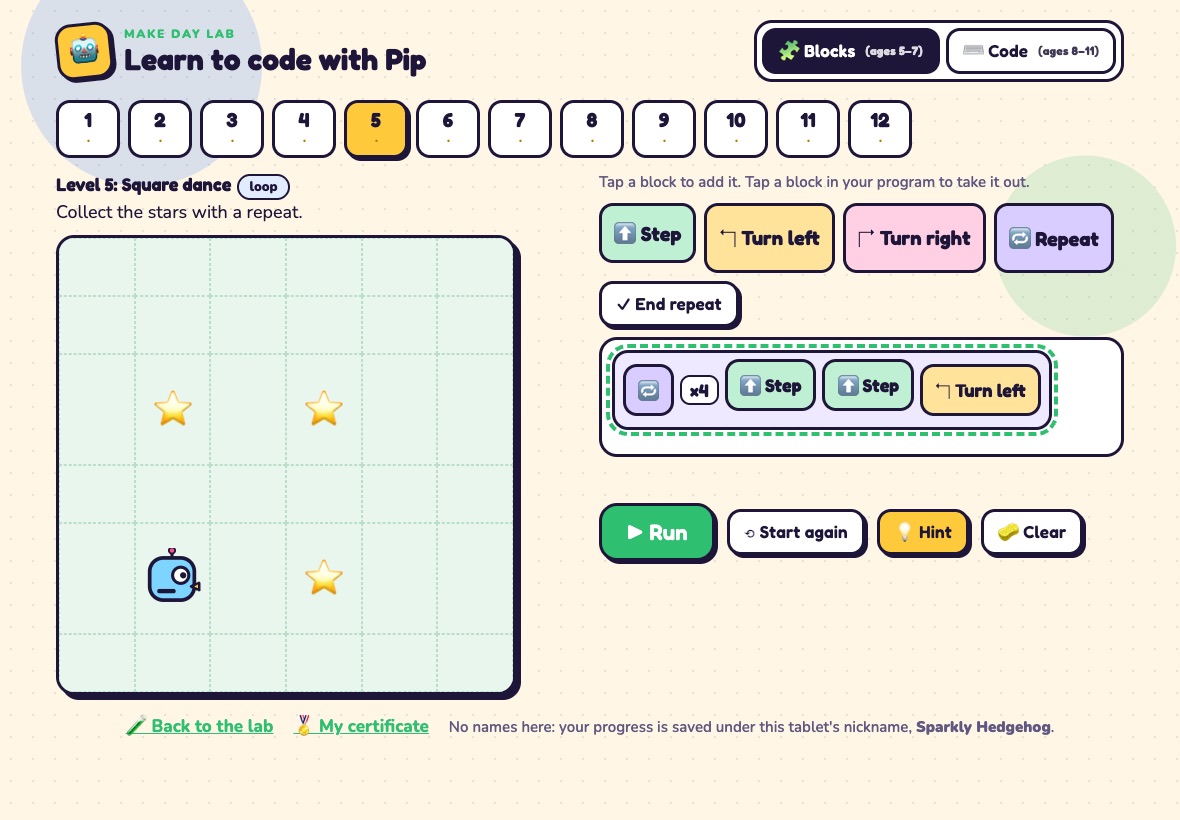
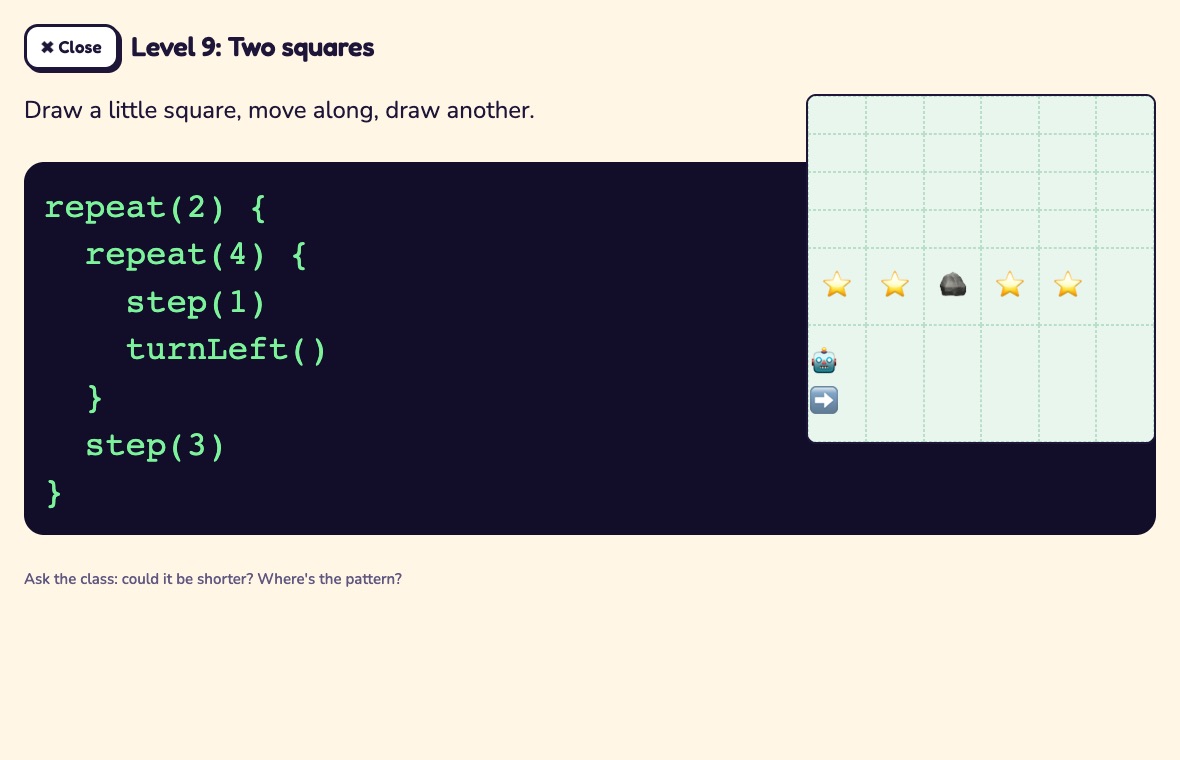
Pip is a little paper robot on a grid of stars and rocks. Twelve levels take children from a first sequence to loops inside loops. Children aged 5 to 7 tap big blocks; children aged 8 to 11 type code that looks like JavaScript: step(3), turnLeft(), repeat(4) { … } and for loops.
Each level checks itself, and stars show how short the program is, so there's always a reason to try again.
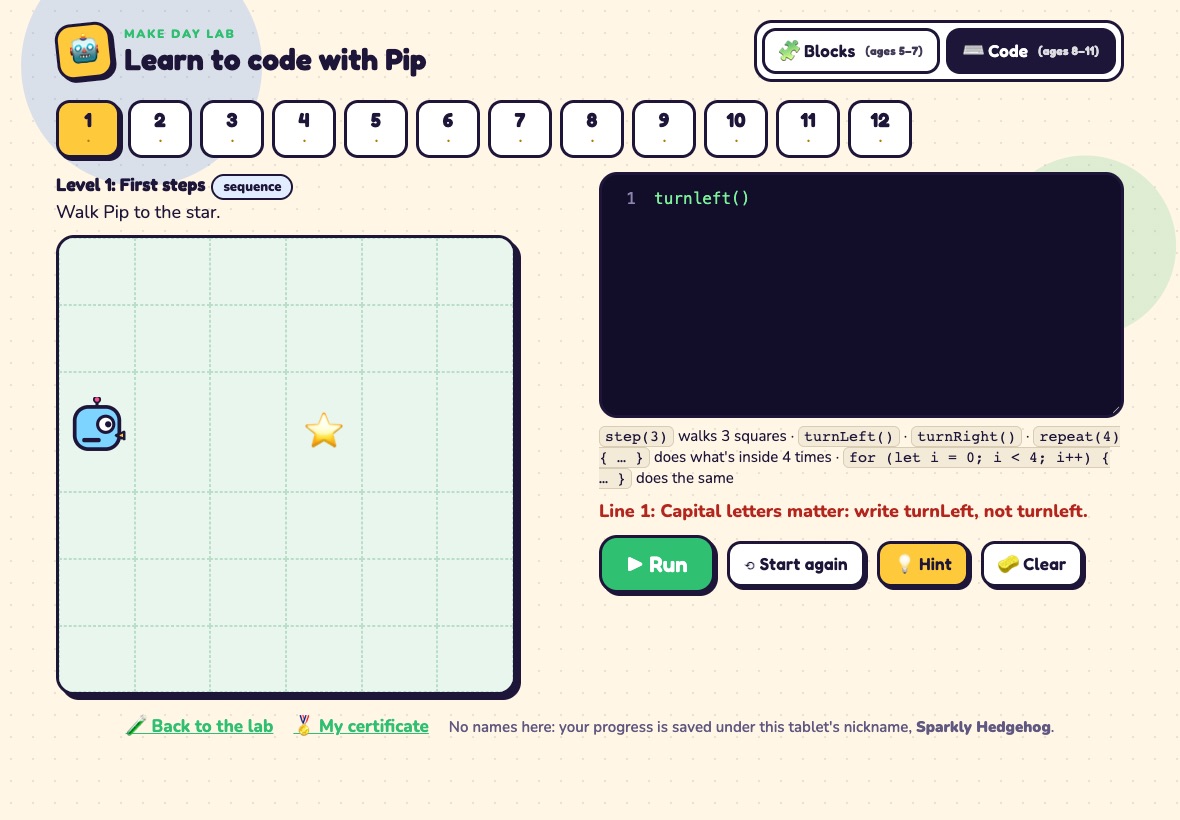
Error messages written for children
Typed code says which line went wrong and how to fix it, in plain words: "Capital letters matter: write turnLeft, not turnleft." Hints come one at a time, and after a few tries a child can see how the answer starts.
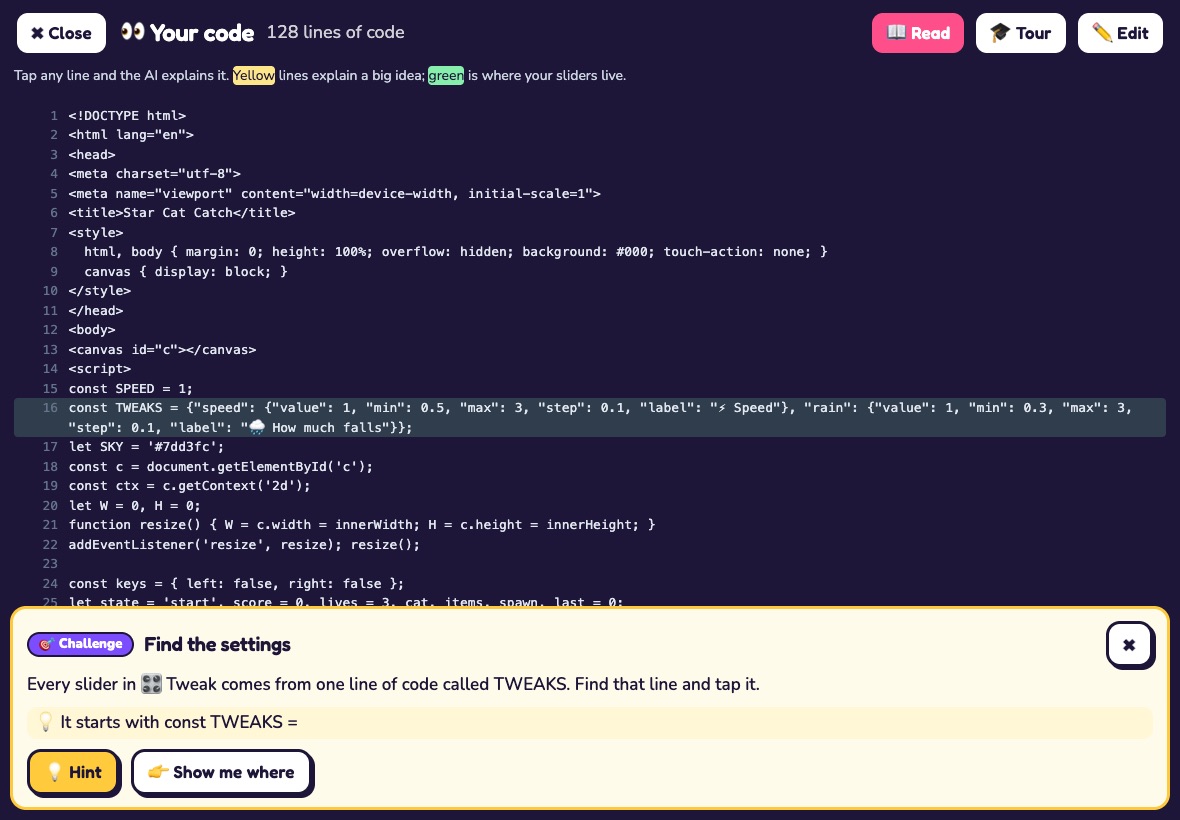
Challenges on their own game
After a child builds something in a lab, seven challenges use its real code: find the settings, change a value and a slider's range, rename a label, change a colour code, write a comment, and find a bug the lab hides in their code. Each one checks itself when the child presses Run.
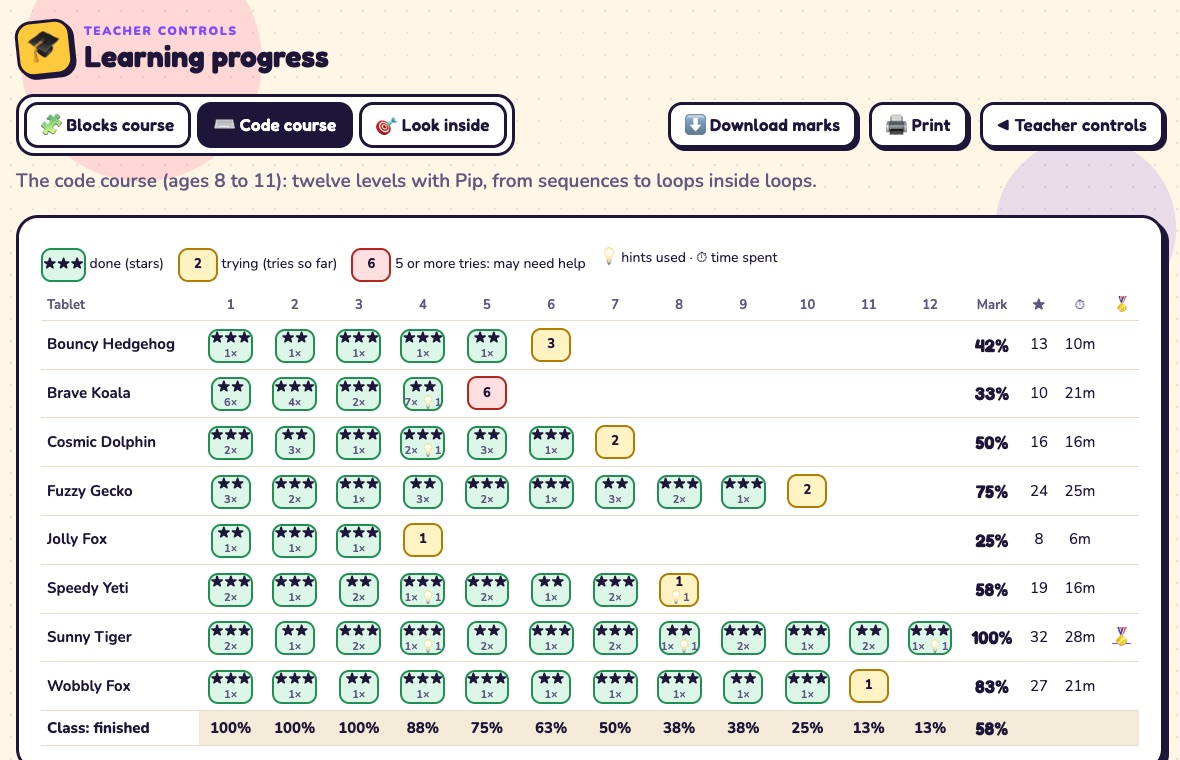
Progress that marks itself
Learning progress shows every tablet: which levels are done, the stars, tries, hints and time, with a mark for each child and how much of the class finished each level. A red box means someone has tried five times or more, so you know where to go. Print it, or download the marks for your records.
No names: each row is the tablet's random nickname.
Solutions to show the class
Every level's solution, in blocks or typed code, opens big on the board with its grid, so you can talk through the pattern together.
Lesson plans and certificates
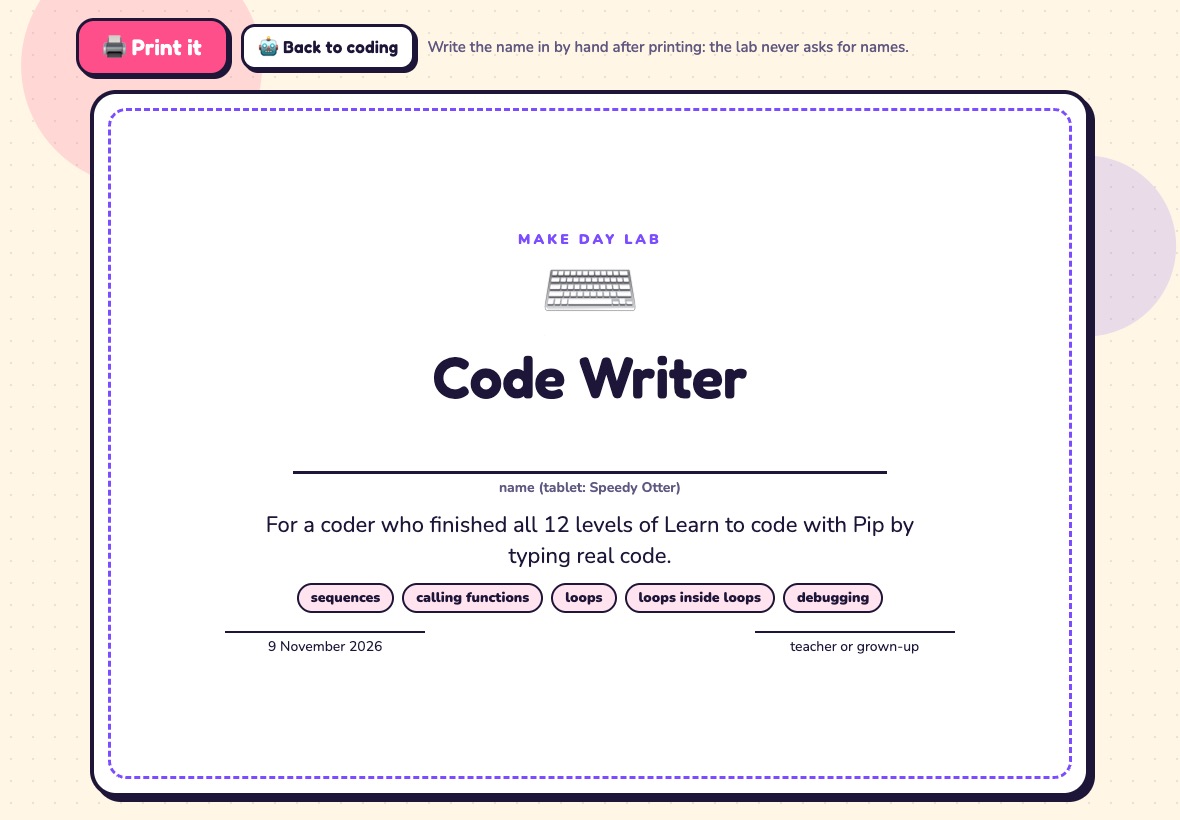
Four ready lessons: one with no screens at all, where children program a robot friend with arrow cards, then blocks, typed code, and looking inside their own creation. Each has timings, questions to ask, and ways to support and stretch. Children who finish get a certificate to print, with a line to write their name by hand.
The computing curriculum
What it covers
Mapped to the computing programmes of study in the national curriculum in England.
| Key stage 1 | Understand what algorithms are and that programs follow precise instructions; create and debug simple programs; use logical reasoning to predict what simple programs will do. The unplugged lesson and the blocks course. |
|---|---|
| Key stage 2 | Design, write and debug programs; use sequence and repetition; work with variables; use logical reasoning to explain how simple algorithms work and to find and correct errors. The typed code course and the challenges on their own creation. |